

Webhooks
Webhooks push Revenue Guard events to your systems as they happen, so you don’t have to poll. You register endpoint URLs, subscribe them to the events you care about, and verify each delivery with a signing secret.
Event types
Subscribe an endpoint to one or more of these events:
Delivery payload
Every delivery wraps the event in a common envelope:
eventIdis stable and deterministic — use it to deduplicate if the same event is delivered more than once.environmentandlivemodetell you whether the event came from sandbox or live, matching the environment of the endpoint.
Payload format
Endpoints default to JSON (application/json). For legacy or healthcare receivers that cannot parse JSON bodies, an endpoint can be set to form format (application/x-www-form-urlencoded), where event, eventId, livemode, and environment are sent as flat fields and the event payload is carried as a JSON string in data.
validation.completed
Revenue Guard sends this event when an order finishes validation. The data object is the validation result for the order:
patientInfo, insuranceInfo, and orderedTests come from the exact order-version snapshot that was validated. triggeredRules contains the resolved rule details and suggested fixes. recommendation is review_required when validation flags rules, otherwise no_action_required.
For form-encoded endpoints, event, eventId, livemode, and environment are sent as form fields and data contains the same validation result as a JSON string.
Verifying signatures
Every delivery is signed so you can confirm it genuinely came from Revenue Guard and was not tampered with. The signature is an HMAC-SHA256 of the raw request body, keyed by your endpoint’s signing secret (a value starting with whsec_), sent as a hex digest in the X-Revenue-Guard-Signature header.
Compute the HMAC over the exact raw bytes of the request body — before any JSON parsing — and compare it to the header using a constant-time comparison.
Sign against the raw request body, not a re-serialized object. Any change in whitespace or key order changes the bytes and breaks verification.
Other delivery headers
X-Revenue-Guard-Event-Id— the sameeventIdas in the payload, for deduplication.X-Revenue-Guard-Signature-Previous— present only during a secret rotation grace window (see below).
Rotating the signing secret
You can rotate an endpoint’s secret at any time. To avoid dropped deliveries during a rollout, the previous secret stays valid for a 24-hour grace window. During that window, deliveries are signed with the new secret in X-Revenue-Guard-Signature and with the old secret in X-Revenue-Guard-Signature-Previous, so a receiver that accepts either signature verifies cleanly while you deploy the new secret.
Managing endpoints
Webhook endpoints are managed under Webhooks for the active environment.
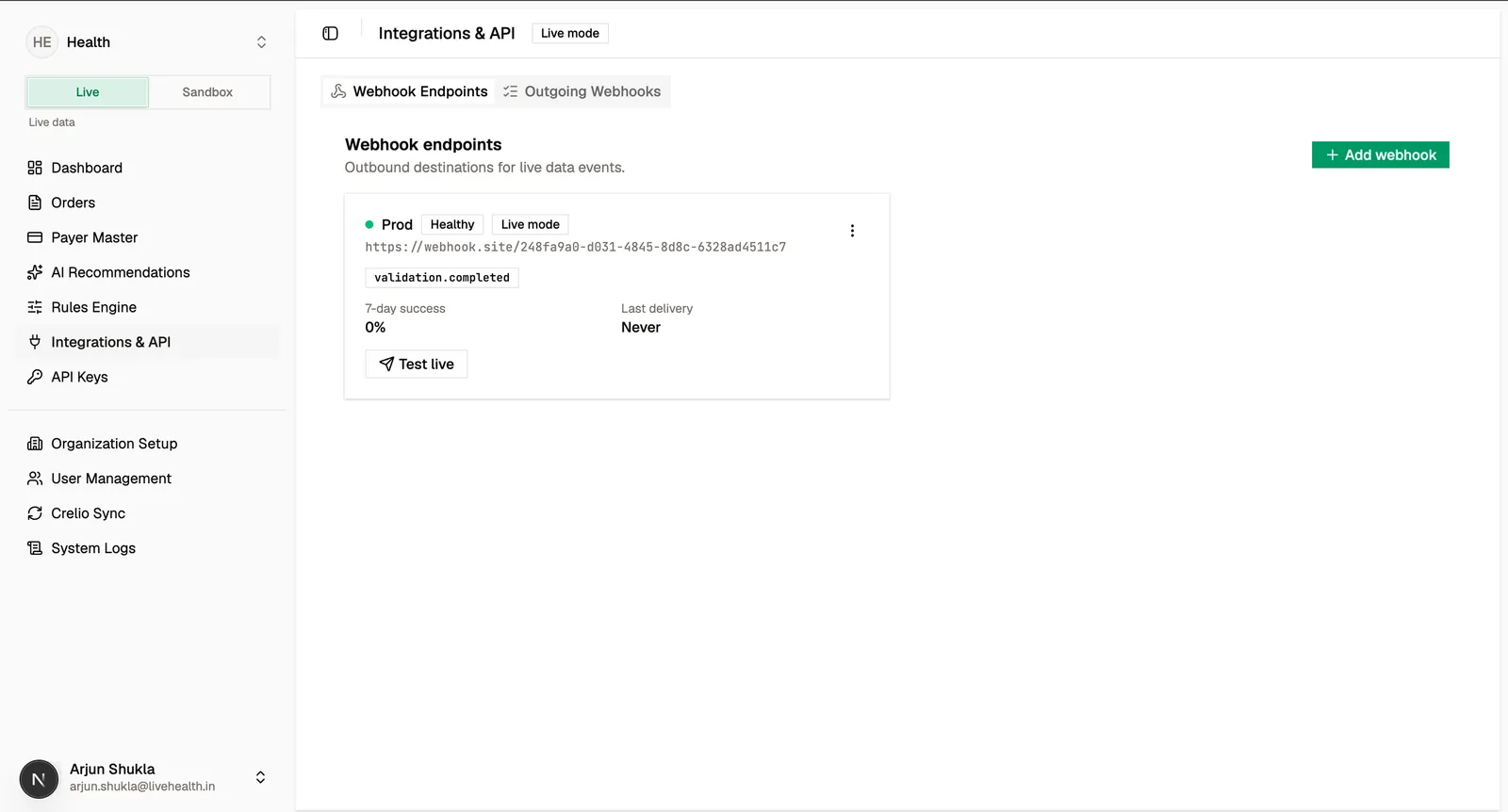
Create an endpoint
Provide a name, a destination URL, and the events to subscribe to. Optionally choose the payload format and add custom headers.
Custom headers
Attach up to 10 custom request headers (for example an authorization token your receiver expects). Header values are write-only — they are encrypted at rest and never returned in responses; lists and detail views show header names only. Platform-owned headers such as the signature and content-type headers cannot be overridden.
Endpoint health and security
- Health is derived from a 7-day rolling success rate (test deliveries excluded): healthy at 95% or above, degraded at 75% or above, failing below that, and inactive when paused.
- Each delivery attempt has a 10-second timeout.
- Destinations are protected by an SSRF guard that blocks loopback and private hosts, and HTTPS is required in production.
Delivery log and replay
Every delivery is recorded. The delivery log is a searchable, paginated history you can filter by endpoint, event type, status bucket (success, client error, server error, timeout), and date range.
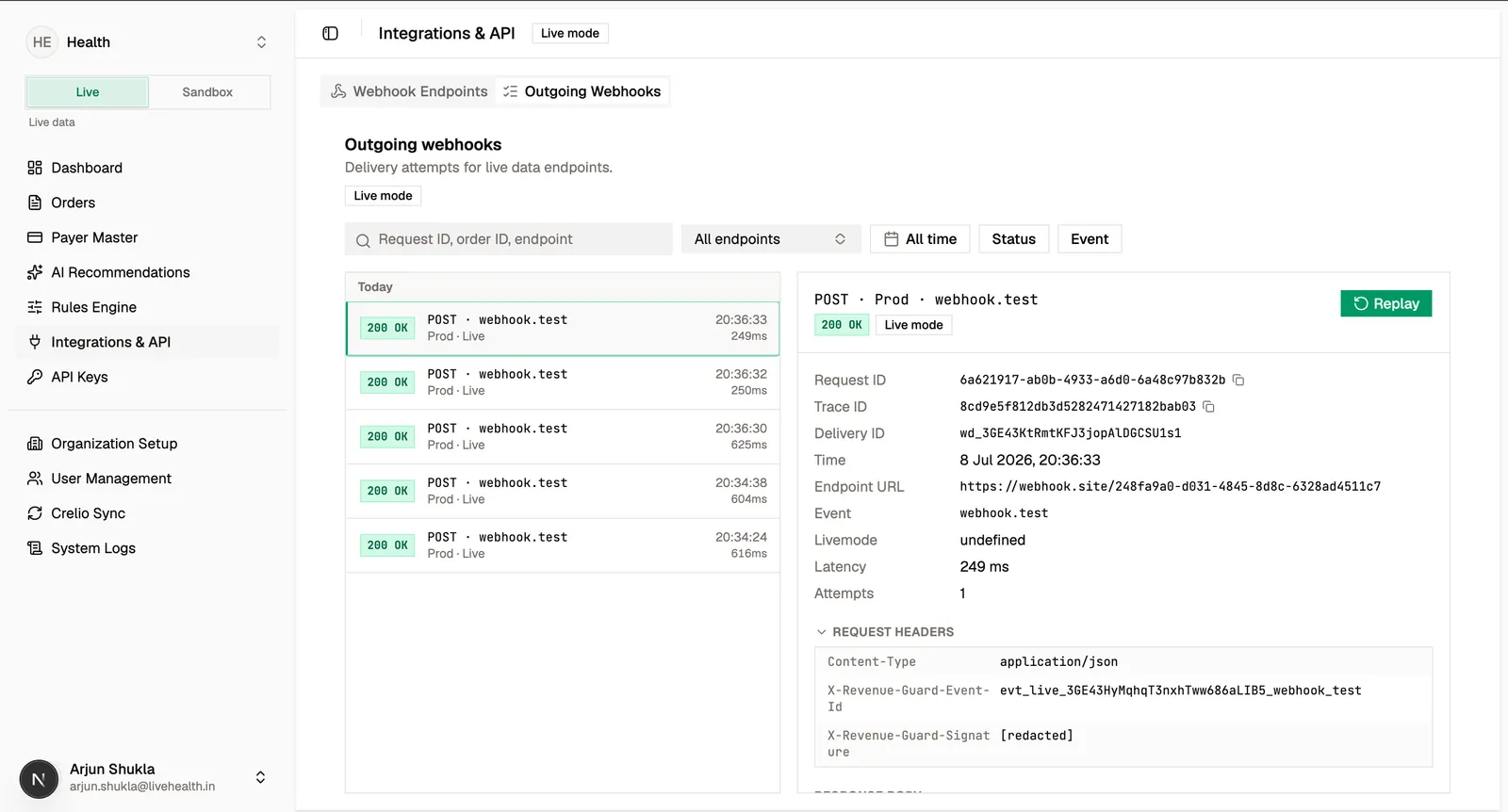
Open a delivery to inspect the request and response — headers (secret values masked), the redacted body, HTTP status, latency, and attempt count. If a delivery failed or you need to re-send, replay it to create a fresh delivery to the same endpoint.
Webhook endpoints, deliveries, and secrets are environment-scoped. A live endpoint only receives live events, and a sandbox endpoint only receives sandbox events.