

System logs
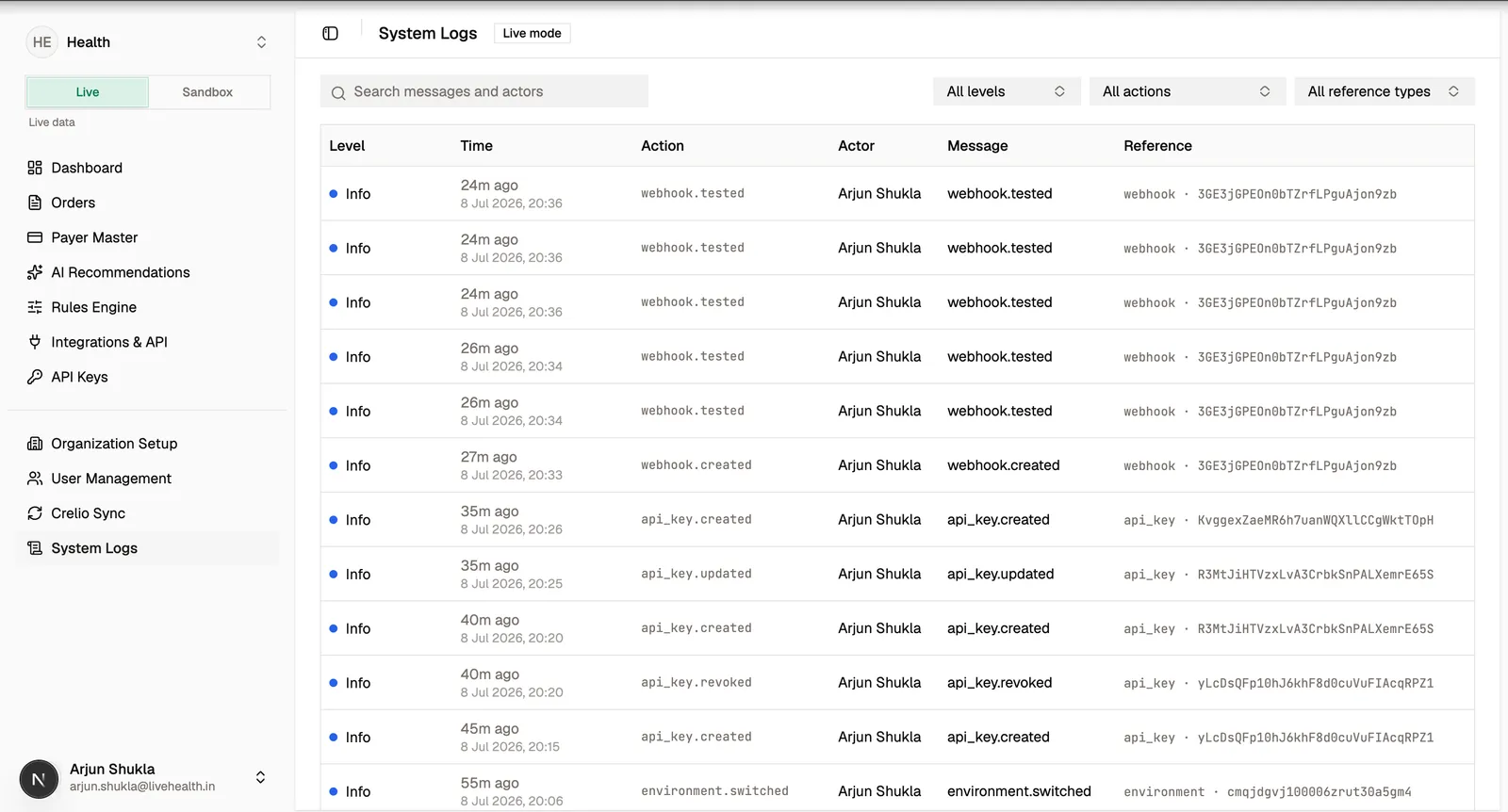
The System Logs page is the audit trail for your organization. It records significant actions — who did what, when, and to which resource — so you can trace changes and investigate issues.
What gets logged
Meaningful mutations across the product are captured, including actions such as:
- Switching the active environment.
- Updating an order’s review state.
- Creating, updating, rejecting, promoting, or deactivating rules.
- Other audited administrative changes.
Each entry records the action, the actor (including whether it happened during impersonation), the affected resource, and request context such as timestamp, request ID, and trace ID.
Reading an entry
Open a log entry to see its full detail, including the metadata captured at the time of the action. Trace and request IDs let you correlate a logged action with the corresponding API request log entry when the action came through the API.
System logs are scoped to your organization and are read-only. They complement the per-key API request logs on the API Keys page: system logs cover actions across the product, while API request logs capture the raw HTTP requests made with your API keys.