

Orders & validation
An order is a submitted lab order together with its full validation history. Orders enter Revenue Guard through the public API and are evaluated against the active rules for their payers.
Submitting an order
Orders are created with POST /public/v1/orders (scope order:create). The request carries:
order_id— your unique identifier for the order.payer_ids— one or more payers to evaluate against. A patient may carry multiple insurances.patient_info— patient demographics.insurance_info— insurance and policy-holder details.ordered_tests— the tests ordered, each with CPT and ICD codes.
See the API reference for the complete field list.
Idempotency and versioning
order_id is the idempotency key. Re-sending the same order_id updates the existing order rather than creating a duplicate, and produces a new version. Each version records what changed, when, and the validation run that evaluated it — so you can trace an order’s history as it is corrected and resubmitted.
The response reports whether the submission created or updated the order:
Validation lifecycle
Validation runs asynchronously. An order’s validationStatus moves through:
When validation completes, the order receives an overall verdict (ok, warning, or critical), a confidence score, and a set of findings. Each finding names the triggered rule, explains why it triggered, and offers a suggested fix.
Reviewing orders in the dashboard
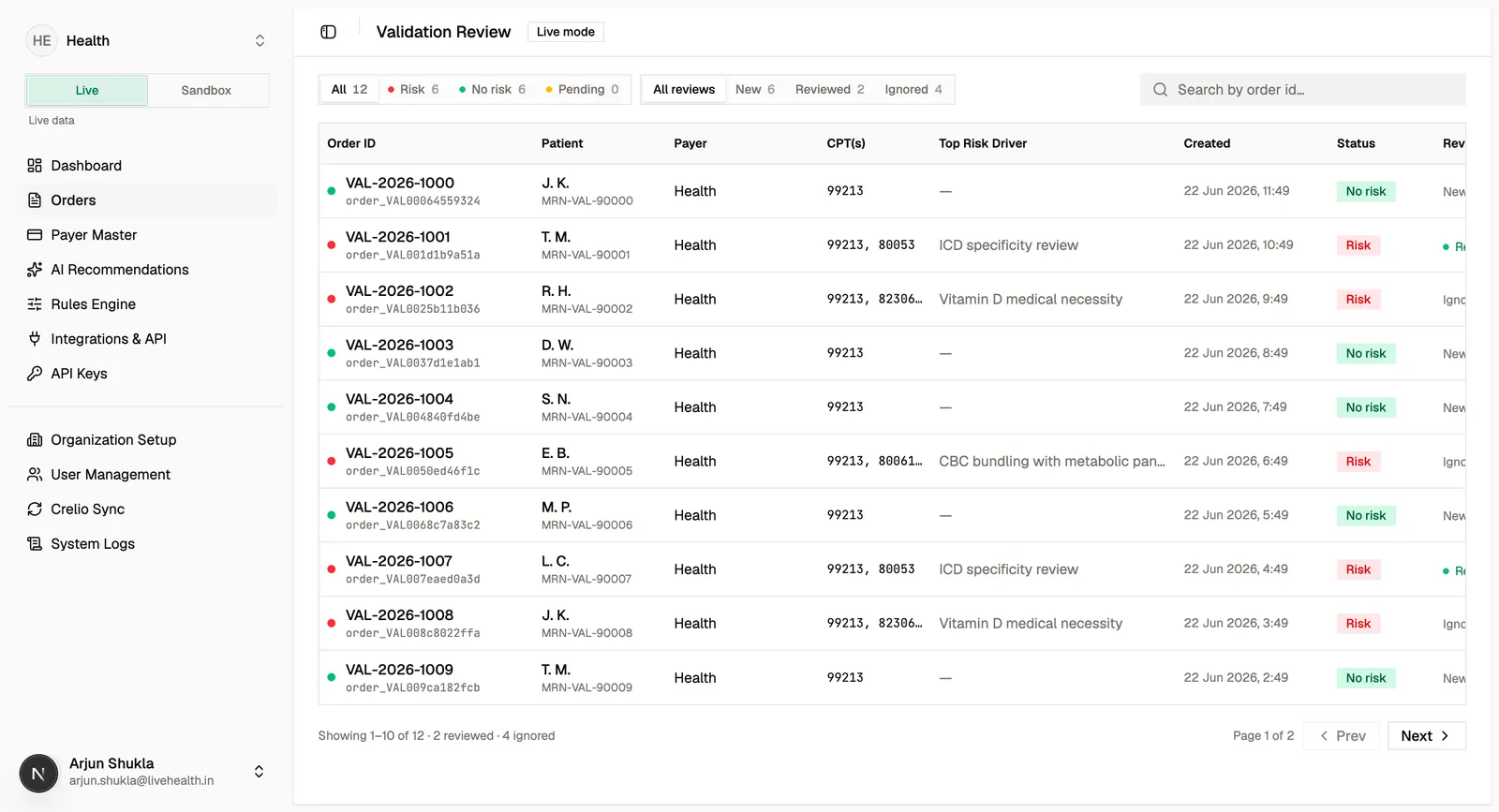
The Orders page lists every order in the active environment with its verdict, top risk driver, and review state. Filter by risk (all, risk, no risk, pending) or by review state, and search by order ID or patient.
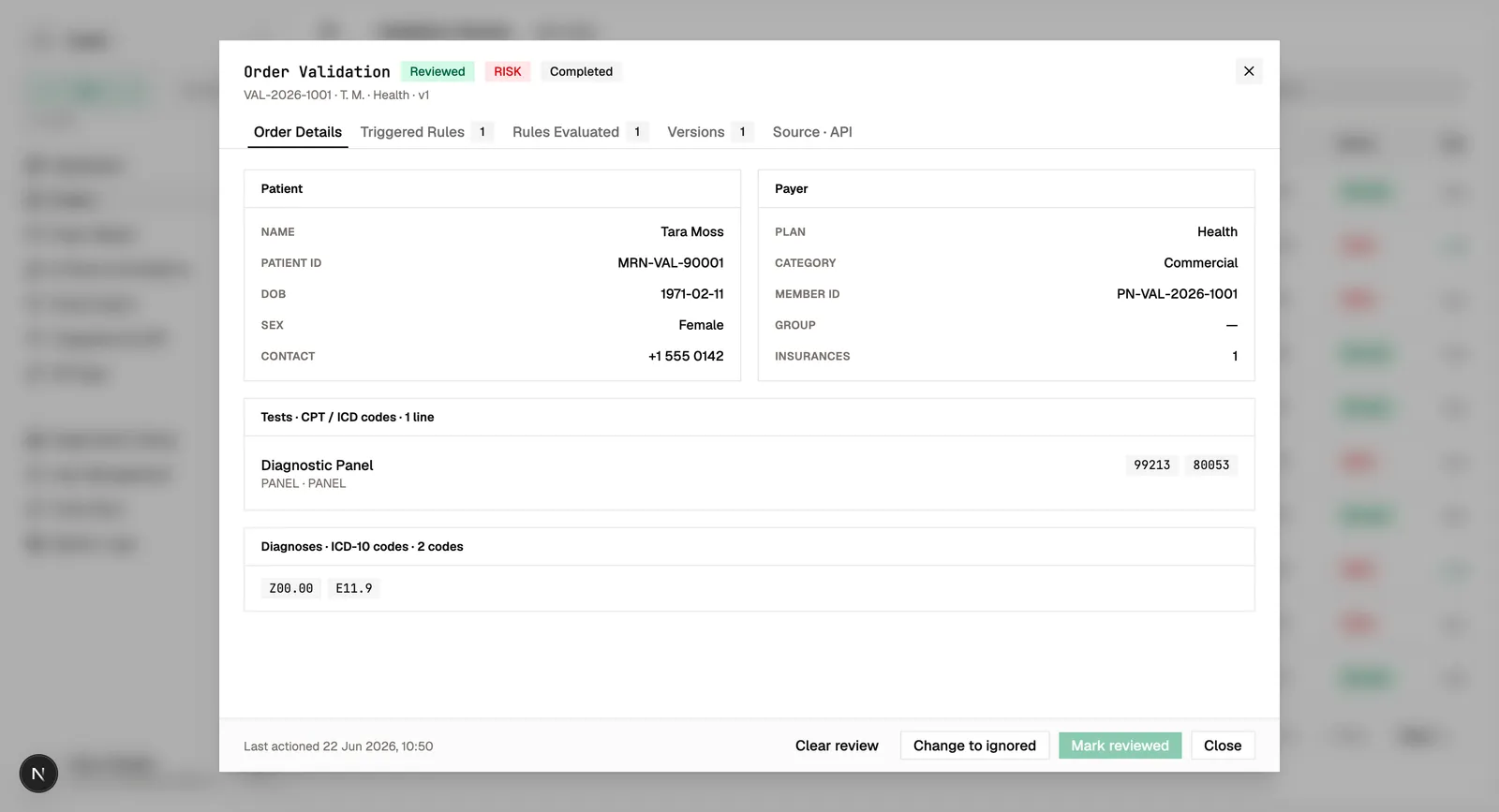
Open an order to see its full detail: patient, payers, insurance, ordered tests, the rules that triggered, the rules that were evaluated, and every version with its validation runs and field-level diffs.
Review states
Each order carries a review state your team manages as it works through the queue:
- new — not yet triaged.
- reviewed — a reviewer has assessed the order.
- ignored — intentionally set aside, optionally with a reason.
Review updates use optimistic concurrency: the dashboard sends the review state and version it observed, so a stale update is rejected rather than silently overwriting a newer change.
Getting notified
Instead of polling, subscribe a webhook to the validation.completed event to receive the verdict, confidence, and findings as soon as an order finishes validation.