

API keys
Create scoped, environment-bound credentials for the public API and monitor their usage.
API keys authenticate requests to the public Revenue Guard API. Keys are organization-owned, bound to a single environment, and scoped to the exact actions they may perform.
Authenticating
Send your key in the X-API-Key header on every public request:
Scopes
A key is granted one or more resource:action scopes. A request is rejected unless the key carries the scope the endpoint requires:
Grant only the scopes an integration needs. A key cannot manage other keys — key management is a dashboard-only, session-authenticated action.
Environment binding
Every key is tied to one environment at creation and its prefix makes that explicit:
rg_test_— sandbox keys, sandbox data only.rg_live_— live keys, live data only.
A key can never reach the other environment. See Environments for the full model.
Managing keys in the dashboard
The API Keys page shows the keys for the active environment as a set of cards with each key’s status (active, disabled, or expired), mode, scopes, last-used time, request count, and expiry.

Create a key
Give the key a name, choose at least one scope, and optionally set an expiry (presets of 30, 60, 90, or 365 days, or never). The environment matches the mode you have selected.
The plaintext value of an API key is returned only at creation and is never retrievable afterward. If a key is lost or exposed, revoke it and create a new one.
Request logs
Every request made with a key is logged. The API Keys page includes a request log you can filter by key, HTTP method, status bucket (success, client error, server error), date range, and free-text search across trace ID, order ID, endpoint, or key name.
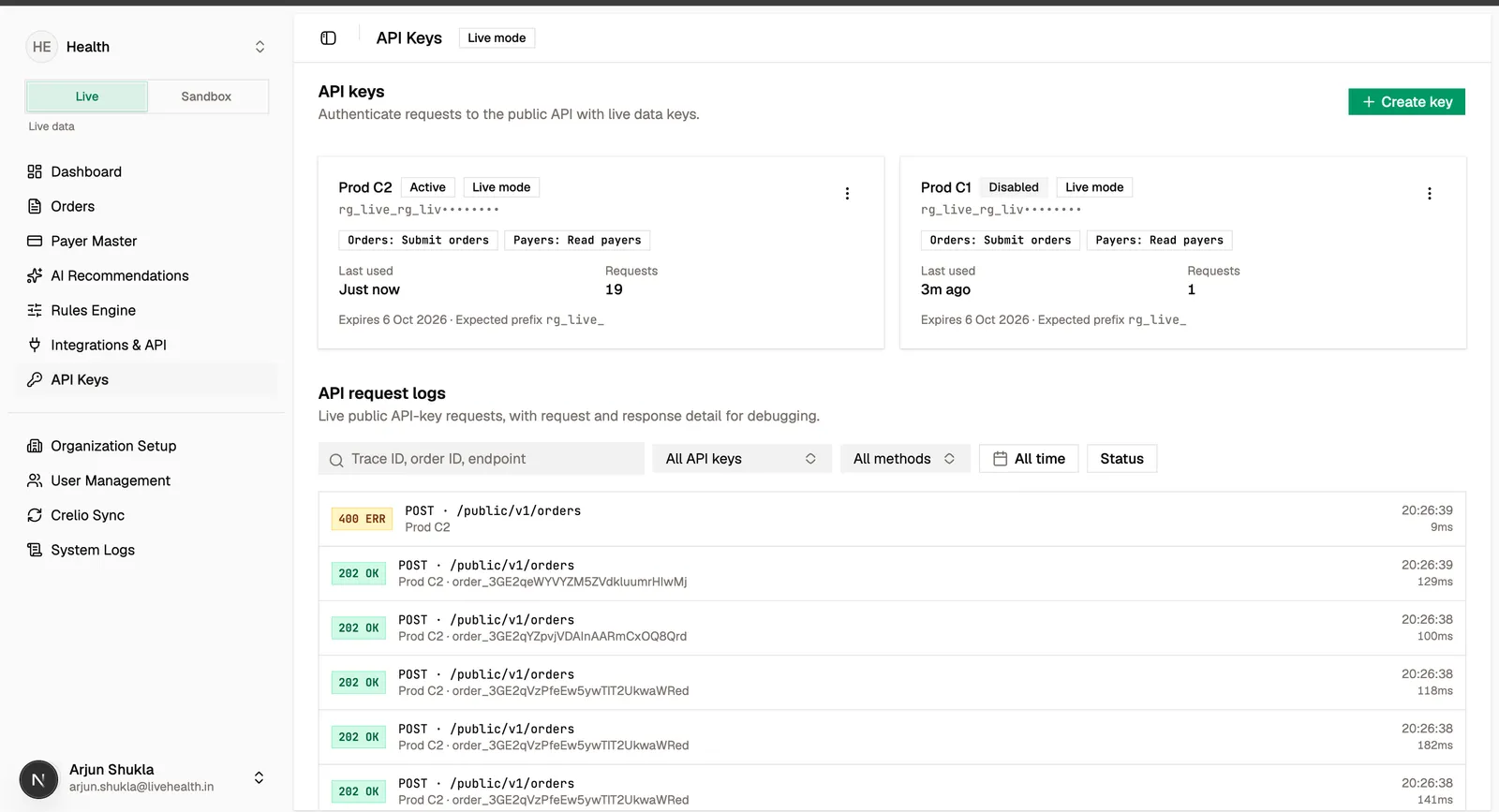
Open a log entry to inspect the full request and response — masked headers, request and response bodies, the resulting order ID, trace ID, latency, and status. This is the fastest way to debug an integration issue end to end.